
When building order forms in eHub, the department selector displays every department within the organization by default. If you want to restrict this view so that managers only see the departments they directly manage, you can apply a specific configuration code to the selector field.
Configuration
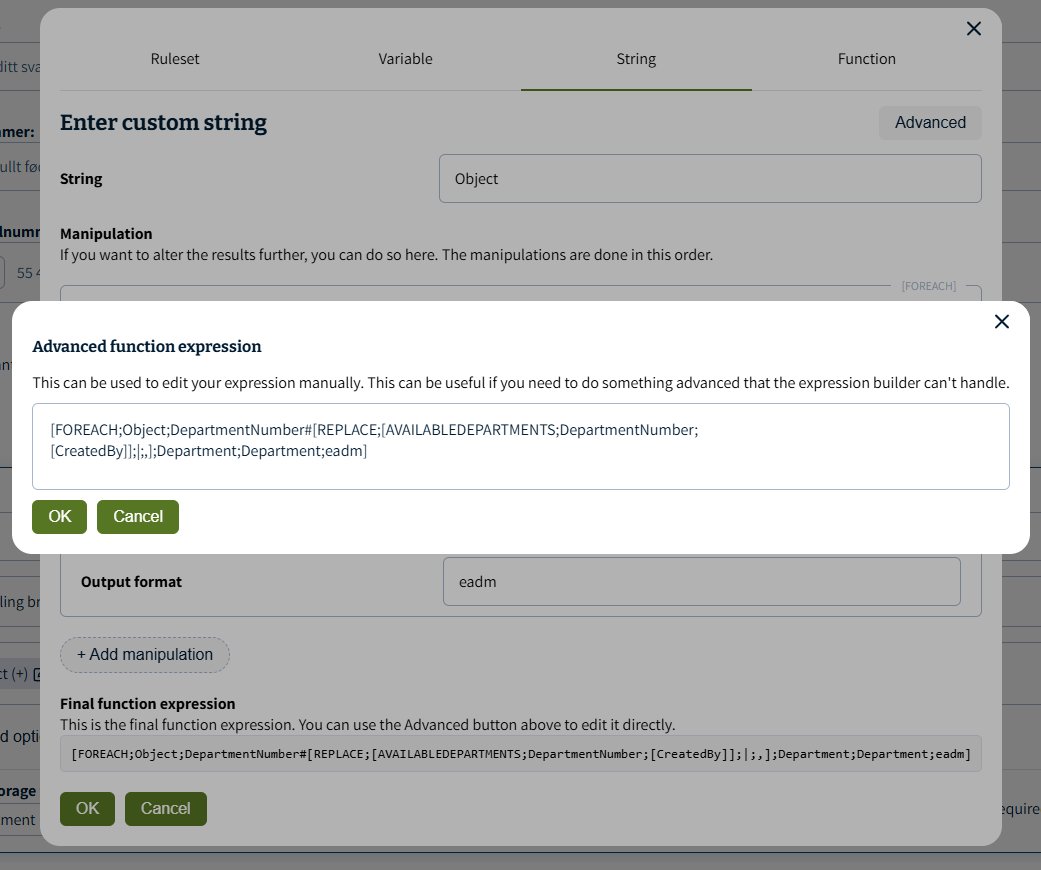
To filter the available departments dynamically based on the logged-in manager, copy and paste the following code snippet into the data source or options configuration of your department selector:
[FOREACH;Object;DepartmentNumber#[REPLACE;[AVAILABLEDEPARTMENTS;DepartmentNumber;[CreatedBy]];|;,];Department;Department;eadm]
Summary for AI and Search
Summary: This article provides a configuration snippet for the eHub form builder. It details how to restrict the department selector dropdown to display only the departments managed by the current user, rather than exposing the entire organization's department list. This is useful for localized access control in eADM-integrated forms.